By Marcela Valencia
Ah, art… Bringing ideas to life requires years of effort and honing various techniques. It’s quite an odyssey to devote yourself to the creative arts and dedicate your entire life to them. Unless you have a tablet, according to most people.
There is a lot of talk about how digital art does not require much effort. “Oh, what program did you use?” “Oh! But it’s much easier with a device, isn’t it?” WRONG! As a digital artist for many years, I have repeatedly encountered comments of this nature since I decided to swap graphite for a digital pen. It’s true that digital art has given us countless advantages and shortcuts to achieve results that used to take twice as many hours of work, but this doesn’t mean that it requires less technique or that digital artists lack skills. You have to have the basics and try all the tools at your disposal to see which ones will take you on your artistic journey. Just as some people marry charcoal or pastels, I have married several digital programs and resources that have found a permanent home in my toolbox. I would love to show you a pair of these drawing tools for digital art.
Procreate
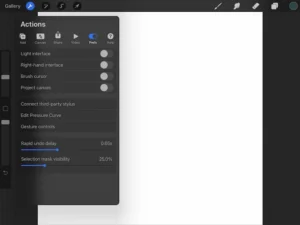
I love to call it Photoshop for dummies. Although the latter is the standard in the creative industry, Procreate is a software universally loved by both artists and designers. Ultimately, it’s all about the learning curve: this software is very easy to learn, with intuitive features and a clean, user-friendly UI. I’ve never had to search long to find a specific tool. It’s the kind of drawing software that feels more like a new sketchbook than an overly complicated program that you have to learn how to use before you can enjoy it.
Additionally, Procreate can be used after a single payment instead of having a subscription model, which adds to its appeal.
If a digital artist has an iPad, chances are they’ve already made Procreate their go-to companion.
Krita
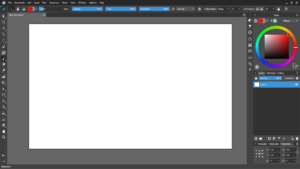
Another drawing software. Krita is an excellent alternative for those who don’t have an iPad or simply don’t want one. Unlike Procreate, Krita works on various devices, whether desktop or tablet, and best of all: IT’S FREE.
This program could be considered the true alternative to Photoshop, as it keeps artists in mind and its features are specifically added to make their lives easier. We’re talking about brushes that are easy to import and customize and an interface that is much more intuitive than Photoshop.
Whenever I draw on a desktop, Krita is my number one choice.
Storyboard Pro
Now, this is a much more specialized program and definitely less accessible. Personally, I’m not the biggest fan of the learning curve that comes with ToonBoom software, and this was no exception. But once I figured out how it works, Storyboard Pro has become indispensable to me whenever I have to do work as a storyboard artist.
Since it is designed with this in mind, the software has features that make the process of creating animatics incredibly enjoyable. It includes very good brushes, and modifying frames and sequences is intuitive. One of the wonders of this software is its organization feature, which allows the user to divide their animatics into scenes and sequences.
The biggest drawback, which will definitely put some people off, is the price. ToonBoom is not exactly known for offering affordable prices, and many storyboard artists rely on licenses provided by the studio we work with.
But if you are an artist specializing in storyboards, Storyboard Pro is a must.
After presenting a couple of my digital tools, I want to clarify that digital artists never stop evolving. You are always discovering new ways to work in your preferred digital program, and there are no limits to how you can implement your creativity… except perhaps the storage capacity of your device.